
Pick the GLOTRENDS kit for a 2-slot or 3-slot card with a bundled PCIe 4.0 riser, the NZXT kit if your case is an NZXT H7 Series model, the EZDIY-FAB kit for stated ARGB lighting, the ConnBull bracket for 3-slot hardware, and the JEYI bracket if your card is 2-slot and you already own a compatible riser cable. All five are bracket kits for mounting a card vertically; none is a graphics card itself.
The split here is slot width, whether a riser cable is included, and how many case slots the listing requires.
As an Amazon Associate, we earn from qualifying purchases.


Pick by Your Need
- Best overall: GLOTRENDS PCIe 4.0 Mount Kit. It covers 2-slot and 3-slot cards with a tested PCIe 4.0 riser.
- Best for ARGB display: EZDIY-FAB Holder Bracket. Its 20 cm riser and stated ARGB lighting suit a 7-slot ATX case.
- Best for NZXT H7 cases: NZXT Mounting Kit. It states an H7 Series fit and a 175 mm PCIe 4.0 riser.
- Best for 3 slots, no stated riser: ConnBull Bracket. It states 3 slots and a magnetic suction base.
- Best compact 2-slot bracket: JEYI 2-Slot Bracket. It states MATX, ATX, and EATX support across three PCIe generations.
Quick Answer
For most builders, the GLOTRENDS kit is the broadest fit: it seats 2-slot and 3-slot cards and includes a PCIe 4.0 riser. NZXT H7 owners should start with the NZXT kit, which states that fit directly. If your card is 2-slot and you own a riser with 11 to 14 mm mounting holes, the JEYI bracket covers mounting alone.
Comparison Table
| Product | Best for | Key stated figure | Trade-off | Buy |
|---|---|---|---|---|
| ConnBull Bracket | 3-slot cards, external GPU use | 3 slots; 7.6 x 5.3 x 2.2 inches | No riser cable stated | View on Amazon |
| EZDIY-FAB Bracket | ARGB display builds | 20 cm PCIe 3.0 riser | Needs an ATX case with 7 PCIe slots | View on Amazon |
| NZXT Kit | NZXT H7 Series cases | 175 mm PCIe 4.0 riser | H7 fit only; heaviest at 1.52 pounds | View on Amazon |
| GLOTRENDS Kit | 2-slot and 3-slot cards | Riser tested at about 26 GB/s | White only; no 4-slot support | View on Amazon |
| JEYI Bracket | 2-slot cards, owned riser | 12 mm riser hole spacing | 2-slot only; no riser stated as included | View on Amazon |
Decision Guide
Start with card thickness. For a 3-slot card, your stated choices are the ConnBull bracket, which states 3 slots, and the GLOTRENDS kit, whose base spans three bays and seats 2-slot and 3-slot cards. For a 4-slot card, GLOTRENDS states that this mount does not support 4-slot cards, and no other listing here states 4-slot support. For a 2-slot card, all five can be considered.
Next, decide whether the riser has to be in the box. EZDIY-FAB bundles a PCIe 3.0 riser at 20 cm, NZXT a PCIe 4.0 riser at 175 mm, and GLOTRENDS a PCIe 4.0 riser at 180 mm. ConnBull states screws, brackets, and components, but no riser cable. JEYI states compatibility with cables that have 11 to 14 mm mounting holes, including PCIe 3.0, 4.0, and 5.0 cables, but states no bundled cable.
Then check case requirements and stated sizes together. EZDIY-FAB states most ATX cases with at least 7 PCIe slots, and its bracket, at 9.72 by 6.38 inches, has the longest and widest stated footprint here. JEYI states at least 4 slots, and adds that for cases with a 4-slot rear bracket a water-cooling radiator is required, because standard air-cooling may interfere. GLOTRENDS describes a full-open 7/8-slot layout but states no dimensions. NZXT states an H7 Series fit, at 6.0 by 6.0 by 7.0 inches. ConnBull states a system for most standard cases, at 7.6 by 5.3 by 2.2 inches. Check the product page for current details before ordering.
1. ConnBull PCIE 5.0 Vertical GPU Mount Bracket — Best for 3-Slot Cards Without a Stated R
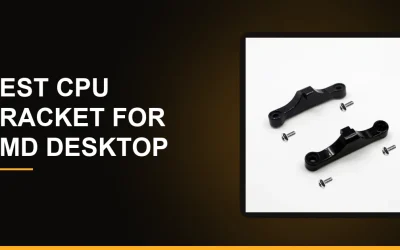
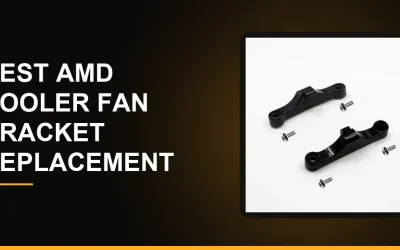
This bracket is the 3-slot option for a builder who wants mounting hardware and a magnetic suction base, without counting on a riser cable from this listing. The listing states 3 slots, flexible positioning, and use for an eGPU dock and external GPU as well as a compatible PC. It states black metal construction and a complete kit with screws and brackets. At 0.49 pounds, it is the lightest stated weight of the five, with a stated size of 9.5 inches and dimensions of 7.6 by 5.3 by 2.2 inches. Skip it if you need a riser cable confirmed in the box.
| Spec | From the listing |
|---|---|
| Color | Black |
| Size | 9.5 Inch |
| Dimensions | 7.6 x 5.3 x 2.2 inches |
| Weight | 0.49 pounds |
| Slots stated | 3 slots |
| Riser cable | The listing does not state it |
2. EZDIY-FAB Vertical Graphics Card Holder Bracket — Best for ARGB Display Builds
This bracket is the display-led option here, and the only one built around a PCIe 3.0 riser. The listing states ARGB effects synchronizable through a motherboard 5V 3-pin header, naming AURA, Mystic, and Fusion, and warns that a 4-pin 12V header is not supported and that 12 volts can destroy the lighting. The bundled riser is 20 cm, or 7.8 inches. The bracket measures 9.72 by 6.38 by 0.04 inches and weighs 0.88 pounds.
| Spec | From the listing |
|---|---|
| Color | Black |
| Size | 20 cm / 7.8 in |
| Dimensions | 9.72 x 6.38 x 0.04 inches |
| Weight | 0.88 pounds |
| Riser cable | PCIe 3.0, 20 cm |
| Lighting | ARGB 5V 3-pin LED |
3. NZXT Vertical GPU Mounting Kit — Best for NZXT H7 Series Cases
This kit is the narrowest recommendation here because its stated case fit is specific: the listing states the bracket and riser fit NZXT H7 Series cases, with clearance for air and AIO cooling. The listing states a thick steel bracket that holds heavy cards vertically and prevents sagging, in the listing’s wording. Its riser is PCIe 4.0 at 175 mm. The kit measures 6.0 by 6.0 by 7.0 inches, and at 1.52 pounds it is the heaviest stated weight of the five, with the tallest stated height.
| Spec | From the listing |
|---|---|
| Color | Black |
| Size | 175 mm |
| Dimensions | 6.0 x 6.0 x 7.0 inches |
| Weight | 1.52 pounds |
| Riser cable | PCIe 4.0, 175 mm |
| Case fit stated | NZXT H7 Series cases |
4. GLOTRENDS PCIe 4.0 Vertical GPU Mount Kit — Best Overall
This kit covers the widest card range here, and it is the only listing that states a measured riser throughput figure. The listing states the steel base spans three bays and seats both 2-slot and 3-slot cards, naming RTX 4090, 4080, and 4070 and RX 7900 and 7800 cards as ready, while stating plainly that 4-slot cards are not supported. The bundled riser is stated as tested at about 26 GB/s against a 32 GB/s PCIe 4.0 x16 theoretical ceiling, and as backward compatible with PCIe 3.0 systems. The listing also states full PCIe 4.0 bandwidth needs an Intel 11th Gen or Ryzen 5000 Series and above CPU with a matching GPU generation. The kit is white, sized at 180 mm, and weighs 0.93 pounds.
| Spec | From the listing |
|---|---|
| Color | White |
| Size | 180 mm |
| Weight | 0.93 pounds |
| Slots stated | 2-slot and 3-slot GPUs |
| Riser cable | PCIe 4.0, about 26 GB/s tested |
| Bracket dimensions | The listing does not state it |
5. JEYI Vertical GPU 2-Slot Mount Bracket — Best Compact 2-Slot Bracket
This bracket is a bracket-only purchase for a 2-slot card, for a builder who already owns a riser cable or wants to choose one separately. The listing states support for 2-slot GPUs and for MATX, ATX, and EATX cases, the widest stated case range here. It states a case requirement of at least 4 PCIe slots, the lowest stated here. Riser fit is stated by hole spacing: 12 mm fixed spacing, for cables with 11 to 14 mm holes, including PCIe 3.0, 4.0, and 5.0 cables. The bracket measures 5.0 by 5.0 by 5.0 inches and weighs 0.78 pounds. Skip it if your card is wider than 2 slots.
| Spec | From the listing |
|---|---|
| Color | Black |
| Size | 2 Slot |
| Dimensions | 5.0 x 5.0 x 5.0 inches |
| Weight | 0.78 pounds |
| Case fit stated | MATX, ATX, EATX |
| Riser cable included | The listing does not state it |
Shopping Checklist
Use this order, because each step can rule a kit out.
- Measure your card’s slot width and match it to the bracket’s stated slot support.
- Count your case’s PCIe slots and compare with each listing’s stated requirement.
- Check whether a riser cable is stated as included, and if not, check the stated hole spacing.
- Check stated bracket dimensions and riser length against your case layout.
- Check the return window on the product page, then compare finalists side by side.
FAQ
Does a vertical mount bracket kit include a riser cable?
Some listings state one and some do not. EZDIY-FAB, NZXT, and GLOTRENDS state a bundled riser cable, PCIe 3.0 for the first and PCIe 4.0 for the other two. ConnBull states hardware with no riser cable stated, and JEYI states compatibility by hole spacing rather than a bundled cable.
How many case expansion slots does a vertical mount need?
It depends on the kit. JEYI states at least 4 PCIe slots, EZDIY-FAB states at least 7 PCIe slots in an ATX case, and GLOTRENDS describes a full-open 7/8-slot layout. Count your case’s slots and compare with the stated figure before ordering.
Will any of these brackets fit a 3-slot or 4-slot graphics card?
For a 3-slot card, ConnBull states 3 slots and GLOTRENDS states support for 2-slot and 3-slot cards. For a 4-slot card, GLOTRENDS states this mount does not support 4-slot cards, and no listing here states 4-slot support. Read each listing by its own stated slot figure.
Final Verdict
The GLOTRENDS kit is the default pick for a 2-slot or 3-slot card because it bundles a PCIe 4.0 riser with a stated tested throughput. NZXT H7 owners get the clearest case fit from the NZXT kit, while EZDIY-FAB suits a 7-slot ATX display build that accepts a PCIe 3.0 riser. ConnBull covers 3-slot hardware with a magnetic base for a builder supplying a cable separately, and JEYI covers the 2-slot bracket-only route across MATX, ATX, and EATX cases.
Prime covers fast, free delivery on eligible items. See whether a Prime free trial is available for your account.
Check Prime on Amazon →Related Guides
No internal links were supplied for this post, and none are listed.
Product and ASIN Reference
| Product | ASIN | Buy |
|---|---|---|
| ConnBull PCIE 5.0 Vertical GPU Mount Bracket | B0FKMXZHDD | View on Amazon |
| EZDIY-FAB Vertical Graphics Card Holder Bracket | B08R9PDBTD | View on Amazon |
| NZXT Vertical GPU Mounting Kit | B0B1L86PMQ | View on Amazon |
| GLOTRENDS PCIe 4.0 Vertical GPU Mount Kit | B0FF4K2CNL | View on Amazon |
| JEYI Vertical GPU 2-Slot Mount Bracket | B0FND52Z6J | View on Amazon |


Write Your Review
No reviews yet. Be the first to share your experience!