
The BrosTrend AX900 leads this set: its listing states Raspberry Pi OS support in its facts and the highest stated speeds of the five, up to 600 Mbps on 5 GHz and 286 Mbps on 2.4 GHz over WiFi 6. Two more listings state Raspberry Pi support in their facts and grade as full matches. The other two need care: the HomeSpot nano adapter is a partial match because Raspberry Pi appears only in its product name (product name), never in its facts, and the ZDE board is a strict mismatch, a PCIe-to-M.2 carrier board holding no WiFi module of its own.
Bands split the set: both BrosTrend adapters state dual-band figures, the LOTEKOO and the HomeSpot state 2.4 GHz Wireless N only, and the ZDE states no speed of its own, since speed depends on the module a buyer adds. Setup terms differ too, from stated plug-and-play for Raspberry Pi to a stated driver install, so settle any unstated detail on the product page.
As an Amazon Associate, we earn from qualifying purchases.


Pick by Your Need
- Best stated speeds: BrosTrend AX900 WiFi 6 Adapter. It states 600 Mbps on 5 GHz, 286 Mbps on 2.4 GHz and Raspberry Pi OS support.
- Best external antenna: BrosTrend 650Mbps Linux Adapter. It states a 5 dBi adjustable antenna and Raspberry Pi OS compatibility.
- Best stated Pi fit: LOTEKOO 150Mbps Adapter. Its facts list the Pi, Pi 2, Pi 3, Pi 4 and Pi Zero W, with plug-and-play for Raspberry Pi.
- Best nano body, with a caveat: HomeSpot 150Mbps Nano Adapter. A partial match: Raspberry Pi support appears in its product name only (product name).
- Best Pi 5 module path, with a caveat: ZDE ZP590A Board. A strict mismatch as an adapter: a PCIe-to-M.2 board needing a separate module.
Quick Answer
Start with the BrosTrend AX900: WiFi 6, the highest stated speeds on both bands and Raspberry Pi OS support in its facts. The BrosTrend 650Mbps is the dual-band alternative, with a stated 5 dBi external antenna and plug-and-play on kernels 6.2 or newer. The LOTEKOO states the widest Pi model list and plug-and-play for Raspberry Pi, but caps at 150 Mbps on 2.4 GHz. The HomeSpot is a partial match, with Raspberry Pi in its product name only (product name), and the ZDE is a strict mismatch, a Pi 5 board needing a separate M.2 module.
Comparison Table
| Adapter | Bands stated | Top stated speed | Raspberry Pi support | Antenna | Weight stated |
|---|---|---|---|---|---|
| BrosTrend 650Mbps | 2.4 GHz and 5 GHz | 433 Mbps (5 GHz) | Stated (Raspberry Pi OS) | 5 dBi external | 0.01 lb |
| LOTEKOO 150Mbps | 2.4 GHz | 150 Mbps | Stated (Pi to Pi Zero W) | Internal | 0.02 lb |
| HomeSpot 150Mbps Nano | 2.4 GHz | 150 Mbps | Product name only — partial match | Antenna-free design | 0.04 lb |
| ZDE ZP590A Board | not stated | not stated (module-dependent) | Pi 5 board — strict mismatch | not stated | 0.05 lb |
| BrosTrend AX900 | 2.4 GHz and 5 GHz | 600 Mbps (5 GHz) | Stated (Raspberry Pi OS) | not stated | 0.01 lb |
Decision Guide
On stated figures, the AX900 is the fastest adapter here on both bands: 600 Mbps on 5 GHz against the BrosTrend 650Mbps adapter’s 433 Mbps, and 286 Mbps on 2.4 GHz against 200 Mbps from the 650Mbps and 150 Mbps from the LOTEKOO and HomeSpot.
Setup diverges sharply. The LOTEKOO states plug-and-play for Raspberry Pi outright; the BrosTrend 650Mbps states plug-and-play on kernels 6.2 or newer, with a manual installer for older kernels; the AX900 states kernel support up to 7.0; and the strict-mismatch ZDE states a driver install on Raspberry Pi OS.
Two size statements deserve a flag. The BrosTrend 650Mbps gives a size line of 3.1, 0.8 and 7.8 inches alongside dimension fields of 1.97, 0.75 and 0.28 inches, and the two sets do not agree, so no size claim here rests on either. The partial-match HomeSpot states 6.0 by 4.0 inches, which sit oddly against its stated nano design; confirm them on the product page. The LOTEKOO’s color entry lists a chipset descriptor rather than a color.
1. BrosTrend 650Mbps Linux WiFi Adapter — Best External Antenna
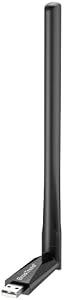
This dual-band adapter states speeds up to 433 Mbps on 5 GHz and 200 Mbps on 2.4 GHz, and its facts list Raspberry Pi OS as compatible, so it grades as a full match. It states plug-and-play on Linux kernels 6.2 or newer, with a manual driver installer for older kernels.
Pros
- Raspberry Pi OS compatibility stated in its facts
- Dual-band stated speeds of 433 Mbps and 200 Mbps
- Only listing stating a 5 dBi external antenna
Cons
- The AX900 states higher speeds on both bands and WiFi 6
- Its size line and dimension fields state two different size sets; settle its size on the product page
| Spec | From the listing |
|---|---|
| Color | Black |
| Bands | 2.4 GHz and 5 GHz |
| Stated speeds | 200 Mbps (2.4 GHz), 433 Mbps (5 GHz) |
| Antenna | 5 dBi external, adjustable |
| Length | 1.97 inches |
| Weight | 0.01 pounds |
2. LOTEKOO 150Mbps USB WiFi Adapter — Best Stated Pi Fit

This mini adapter builds on a Ralink 5370 chipset and states 150 Mbps on 2.4 GHz under 802.11n/g/b. Its facts state fit for the Raspberry Pi, Pi 2, Pi 3, Pi 4 and Pi Zero W, plus plug-and-play for Raspberry Pi, so it grades as a full match with the widest stated Pi model list here.
Pros
- Raspberry Pi models stated in its facts, from the Pi to the Pi Zero W
- Plug-and-play for Raspberry Pi stated outright
- Internal antenna in a mini body
Cons
- A single 2.4 GHz band, while both BrosTrend adapters state dual-band figures
- Its 150 Mbps ceiling sits below the AX900’s stated 286 Mbps on the same band
| Spec | From the listing |
|---|---|
| Color | RT5370 Chip Mini Size |
| Chipset | Ralink 5370 |
| Band | 2.4 GHz |
| Stated speed | 150 Mbps |
| Length | 0.79 inches |
| Weight | 0.02 pounds |
3. HomeSpot 150Mbps Wireless N Nano Adapter — Best Nano Body
This adapter is a partial match: Raspberry Pi appears in its product name only (product name), and its facts never state Raspberry Pi support, so confirm Pi fit on the product page. Its facts state Wireless N speeds up to 150 Mbps and a nano-sized, plug-and-forget, antenna-free design, and note it is not an AC wireless adapter.
Pros
- Nano plug-and-forget design stated in its facts
- MIMO technology stated
- Stated 150 Mbps Wireless N speed
Cons
- Raspberry Pi support rests on its product name only (product name), while three rivals state Pi support in their facts
- Its stated 6.0 by 4.0 inch dimensions clash with its stated nano design, so settle its size on the product page
| Spec | From the listing |
|---|---|
| Wireless standard | 802.11n |
| Stated speed | 150 Mbps |
| Antenna | Antenna-free design |
| Length | 6.0 inches |
| Width | 4.0 inches |
| Weight | 0.04 pounds |
4. ZDE ZP590A PCIe to M.2 Board — Best Pi 5 Module Path
This listing is a strict mismatch for a WiFi adapter search: a PCIe-to-M.2 E-Key board for the Raspberry Pi 5 whose facts state that a WiFi 7, 6, 6E or 5 module is inserted into it, with no module stated as included. It lists supported cards (BE200, 8265C, AX200, AX210, MT7922) and states that Raspberry Pi OS needs a driver install for them.
Pros
- States a Pi 5 PCIe path to WiFi 7 class modules
- Supported card models listed in its facts
- Driver-free Ubuntu use stated for the listed cards
Cons
- Every other pick here is a complete adapter, while this board states no WiFi module as included
- It fits the Raspberry Pi 5 only, while the LOTEKOO states fit from the Pi to the Pi Zero W
| Spec | From the listing |
|---|---|
| Color | black |
| Interface | PCIe to M.2 E Key |
| Host board | Raspberry Pi 5 |
| Supported modules | BE200, 8265C, AX200, AX210, MT7922 |
| Length | 2.72 inches |
| Weight | 0.05 pounds |
5. BrosTrend AX900 Mini WiFi 6 Adapter — Best Stated Speeds

This WiFi 6 adapter states the highest figures in the set: up to 600 Mbps on 5 GHz and 286 Mbps on 2.4 GHz, with 1024-QAM, MU-MIMO and BSS Color stated. Its facts state support for Raspberry Pi OS versions 13 through 10 and kernels up to 7.0, so it grades as a full match.
Pros
- Highest stated speeds on both bands: 600 Mbps and 286 Mbps
- Raspberry Pi OS support stated in its facts
- Compact stated body that leaves nearby ports unblocked
Cons
- Its sibling 650Mbps adapter states a 5 dBi external antenna; this listing states no antenna
- The LOTEKOO states plug-and-play for Raspberry Pi directly; this listing states kernel support instead
| Spec | From the listing |
|---|---|
| Color | Black |
| Standard | WiFi 6 |
| Stated speeds | 600 Mbps (5 GHz), 286 Mbps (2.4 GHz) |
| Size | 1.4 × 0.7 × 0.3 in |
| Length | 1.42 inches |
| Weight | 0.01 pounds |
Shopping Checklist
- Confirm your Pi model and OS release against the support each listing states in its facts, and settle name-only claims on the product page.
- Compare stated band and speed figures band by band; a 5 GHz figure and a 2.4 GHz figure are not interchangeable.
- Check whether a listing states plug-and-play, a kernel condition, or a driver install before you buy.
- Check stated dimensions and port clearance on the product page, especially where a listing states two size sets.
- Compare two or three finalists side by side on antenna type, weight and setup terms.
FAQ
How do I know a WiFi adapter works with a Raspberry Pi?
Look for Raspberry Pi or Raspberry Pi OS support stated in the listing’s facts, not only in its name. Here, three listings state it in their facts, one carries it in its product name only (product name) as a partial match, and one is a strict-mismatch board for a separate module. Where support is name-only or unstated, settle it on the product page.
Do these adapters need drivers on Raspberry Pi OS?
It varies by listing. One adapter here states plug-and-play for Raspberry Pi, the BrosTrend adapters state kernel-based conditions, and the Pi 5 board states that Raspberry Pi OS needs a driver install for its supported cards. Confirm the stated terms on the product page.
Should I choose by the highest stated Mbps figure?
Compare like with like: a stated 5 GHz ceiling only ranks against other 5 GHz ceilings, and a dual-band adapter adds a band a 2.4 GHz-only adapter never states. Weigh stated speeds alongside band coverage, antenna type and setup terms rather than treating one figure as a measured result.
Final Verdict
For most Raspberry Pi owners, the BrosTrend AX900 is the pick: Raspberry Pi OS support and the highest stated speeds on both bands in a compact body. The BrosTrend 650Mbps suits anyone who wants the stated 5 dBi external antenna, and the LOTEKOO suits older Pi boards with its stated model list and plug-and-play terms. Treat the other two with care: the HomeSpot is a partial match whose Pi support sits in its product name only (product name), so settle its fit on the product page, and the ZDE is a strict mismatch, a Pi 5 carrier board needing a separately bought M.2 module.
Prime covers fast, free delivery on eligible items. See whether a Prime free trial is available for your account.
Check Prime on Amazon →Product and ASIN Reference
| Product | ASIN | Match |
|---|---|---|
| BrosTrend 650Mbps Linux WiFi Adapter | B01GC8XH0S | Match |
| LOTEKOO 150Mbps USB WiFi Adapter | B06Y2HKT75 | Match |
| HomeSpot 150Mbps Wireless N Nano Adapter | B01ERHE18S | Partial match — Raspberry Pi support in product name only |
| ZDE ZP590A PCIe to M.2 Board | B0D78TWCB9 | Strict mismatch — carrier board, no WiFi module stated as included |
| BrosTrend AX900 Mini WiFi 6 Adapter | B0F6N1H84N | Match |

Write Your Review
No reviews yet. Be the first to share your experience!