
Choose the GMKtec Nucbox M6 Ultra if you want the most memory and storage in this group, the Apple Mac mini if you want macOS with Wi-Fi 7, and one of the KAMRUI or GMKtec G3S models if your work is mainly browsing, documents, email, and video calls. Those three directions cover most buyers, because the five systems differ more in processor class, memory ceiling, and display count than in basic desk use.
The gap between the top and bottom of this list is wide. At one end sits a Ryzen 5 system with 32GB of DDR5 memory, a 1TB SSD, dual 2.5GbE ports, and support for three displays. At the other end sit 8GB systems with 256GB of storage and two or three display outputs, built for routine tasks rather than heavier multitasking. Reading the memory, storage, and port figures first will save you from paying attention to the wrong details later.
As an Amazon Associate, we earn from qualifying purchases.


Pick by Your Need
- Best overall: GMKtec Nucbox M6 Ultra. It pairs 32GB of DDR5 memory and a 1TB SSD with a 6-core Ryzen 5 processor and dual 2.5GbE ports.
- Best for macOS: Apple Mac mini. It runs macOS on a 12-core CPU with 16GB of unified memory, Wi-Fi 7, and Bluetooth 6.
- Best for everyday office work: KAMRUI AK1PLUS. Its 16GB of memory, dual 4K HDMI outputs, and 2.5-inch drive expansion suit documents, browsing, and video calls.
- Best for mounting behind a monitor: KAMRUI Pinova P1. It includes a VESA bracket and offers HDMI, DisplayPort, and Type-C display connections.
- Best simple option: GMKtec Nucbox G3S. It covers routine work with an Intel N95 processor, 8GB of memory, dual HDMI outputs, and three USB 3.2 ports.
Quick Answer
Start with the GMKtec Nucbox M6 Ultra for heavier multitasking, moderate gaming, or server-style use, since it has 32GB of memory, 1TB of storage, and the widest port selection here. Choose the Apple Mac mini instead if macOS, Wi-Fi 7, and a 12-core CPU matter more than the M6 Ultra’s memory and storage headroom. For lighter daily work, the KAMRUI AK1PLUS gives you 16GB of memory, while the Pinova P1 and GMKtec G3S give you 8GB in smaller, simpler configurations.
Comparison Table
| Product | Best for | RAM (GB) | Storage | Displays stated | One trade-off | Buy |
|---|---|---|---|---|---|---|
| GMKtec Nucbox M6 Ultra | Heavier multitasking and gaming | 32 | 1TB SSD | Three displays, with 8K at 60Hz via USB4 | No dimensions are given in the spec table | View on Amazon |
| KAMRUI AK1PLUS | Everyday office work | 16 | 256GB SSD | Two 4K displays at 60Hz | Celeron N5095 processor has the lowest stated clock here, at up to 2.9GHz | View on Amazon |
| Apple Mac mini | macOS and AI workflows | 16 | 256GB SSD | Up to three external displays | Runs macOS only, so Windows-only software will not run natively | View on Amazon |
| KAMRUI Pinova P1 | Mounting behind a monitor | 8 | 256GB SSD | Three displays at 4K and 60Hz | Only 8GB of memory, and the two stated sizes conflict | View on Amazon |
| GMKtec Nucbox G3S | Simple routine tasks | 8 | 256GB SSD | Two 4K displays at 60Hz | Only 8GB of memory and a 256GB M.2 2242 SSD | View on Amazon |
Decision Guide
If you regularly keep many browser tabs, spreadsheets, and chat tools open at once, memory is the figure to weight most heavily. The M6 Ultra starts at 32GB and the listing states support for expansion to 128GB, which is four times the 8GB fitted to the Pinova P1 and the G3S. The AK1PLUS and the Mac mini sit between those points at 16GB each, although the Mac mini uses unified memory shared by its CPU and GPU rather than separate SO-DIMM modules.
If storage growth is your concern, look at the expansion path rather than the starting capacity alone. The M6 Ultra begins with 1TB and states dual-slot SSD expansion up to 8TB with PCIe 4.0 drives. The AK1PLUS begins with 256GB but accepts an M.2 drive up to 2TB plus a 2.5-inch SATA drive up to 2TB, for up to 4TB in total. The other three systems in this comparison start at 256GB, and their listings do not describe the same combination of internal expansion routes.
If you run more than one monitor, count the outputs before anything else. The M6 Ultra, the Mac mini, and the Pinova P1 each support three displays. The AK1PLUS and the G3S each support two. Connection type matters as well: the M6 Ultra combines HDMI 2.0, DisplayPort, and USB4, the Pinova P1 combines HDMI, DisplayPort, and Type-C, and the G3S relies on two HDMI ports.
If wired networking speed matters, separate the group by Ethernet rating. The M6 Ultra has two 2.5GbE LAN ports, and the Mac mini has one 2.5Gb Ethernet port. The AK1PLUS, the Pinova P1, and the G3S each list Gigabit Ethernet, which is the slower tier in this set. Wireless splits the group too: Wi-Fi 7 on the Mac mini, Wi-Fi 6 on the M6 Ultra, and Wi-Fi 5 on the Pinova P1 and the G3S, while the AK1PLUS listing states Wi-Fi and Bluetooth without specifying a generation.
If your software decides the operating system, that choice comes first. Only the Pinova P1 states an operating system in its listing, preloaded with Windows 11 Pro; the other non-Mac listings do not state an operating system. The Mac mini runs macOS and adds iPhone Mirroring and cross-device copy and paste with other Apple devices. Pick the platform your applications need, then use the memory and display figures above to choose within it.
1. GMKtec Nucbox M6 Ultra — Best Overall
This is the only system here with 32GB of memory, a 1TB SSD, and a 6-core processor that boosts to 5.0 GHz, so it stands apart for heavier multitasking and moderate gaming. Its Radeon 760M graphics have 8 compute units and 512 shaders running at up to 2,600 MHz. It is also the only model with two 2.5GbE LAN ports, which suits server, firewall, or file-sharing roles alongside normal desktop work.
| Spec | From the listing |
|---|---|
| Processor | AMD Ryzen 5 7640HS, 6 cores, 12 threads, 4.3 GHz base to 5.0 GHz boost |
| Memory | 32GB DDR5, 2 x 16GB SO-DIMM, expandable to 128GB |
| Storage | 1TB M.2 2280 PCIe 3.0 SSD, dual-slot expansion to 8TB |
| Networking | Dual 2.5GbE RJ45 LAN, Wi-Fi 6, Bluetooth 5.2 |
| Dimensions | The listing does not state it |
2. KAMRUI AK1PLUS — Best for Everyday Office Work
The AK1PLUS pairs an Intel Celeron N5095 processor, running at up to 2.9GHz across 4 cores and 4 threads, with 16GB of memory, which is double the memory of the two 8GB KAMRUI and GMKtec models below. Its clearest advantage is storage flexibility: the 256GB M.2 SSD can be joined by M.2 expansion up to 2TB and a 2.5-inch SATA drive up to 2TB. At 5.04 x 5.04 x 2.05 inches, it is a square desktop box rather than a stick-style unit. Skip it if you need three displays or a processor above the Celeron class.
| Spec | From the listing |
|---|---|
| Processor | Intel Celeron N5095, 4 cores, 4 threads, up to 2.9GHz |
| Memory | 16GB LPDDR4X |
| Storage | 256GB M.2 2280 SSD, expansion up to 4TB in total |
| Displays | Dual HDMI 2.0, two 4K displays at 60Hz |
| Dimensions | 5.04 x 5.04 x 2.05 inches |
3. Apple Mac mini M6 — Best for macOS
The Mac mini is the platform outlier in this group: it runs macOS on an M6 chip with a 12-core CPU and a 12-core GPU, backed by 16GB of unified memory and a 256GB SSD. Its networking carries the highest numbered wireless versions among the listings that specify a generation, with Wi-Fi 7, Bluetooth 6, and a 2.5Gb Ethernet port. The case measures about 5 x 5 x 1.97 inches, and the port layout splits three Thunderbolt 4 ports and HDMI at the back with two USB-C ports and a headphone jack at the front. The trade-off is platform lock-in: Windows-only applications will not run natively on macOS.
| Spec | From the listing |
|---|---|
| Processor | M6 chip, 12-core CPU and 12-core GPU |
| Memory | 16GB unified memory, 170GB/s memory bandwidth |
| Storage | 256GB SSD |
| Ports | Three Thunderbolt 4, HDMI, two front USB-C, headphone jack |
| Dimensions | 5 x 5 x 1.97 inches |
4. KAMRUI Pinova P1 — Best for Monitor Mounting
The Pinova P1 uses an AMD Ryzen 3 Pro 7330U processor with 4 cores, 8 threads, and speeds up to 4.3GHz, paired with 8GB of memory and a 256GB M.2 SSD. It supports three displays at 4K and 60Hz through HDMI, DisplayPort, and Type-C, and it ships with a VESA bracket for mounting behind a monitor. One point needs care: the listing gives two different sizes for this machine, 5.06 x 5.06 x 2.01 inches in one place and 3.94 x 3.94 x 1.18 inches in the spec table, so check the product page before relying on either figure for a tight mounting space.
| Spec | From the listing |
|---|---|
| Processor | AMD Ryzen 3 Pro 7330U, 4 cores, 8 threads, up to 4.3GHz, 28W TDP |
| Memory | 8GB RAM |
| Storage | 256GB M.2 SSD |
| Wireless | Dual-band Wi-Fi 5, Bluetooth 4.2, Gigabit Ethernet |
| Operating system | Windows 11 Pro preloaded |
5. GMKtec Nucbox G3S — Best Simple Option
The G3S is built around an Intel N95 processor with 4 cores, 4 threads, 6MB of cache, and a burst speed up to 3.4GHz, which the listing positions for routine tasks, office work, and home entertainment. It carries 8GB of DDR4 memory and a 256GB M.2 2242 SSD, and it drives two 4K displays at 60Hz through two HDMI 2.0 ports. Three USB 3.2 ports, Wi-Fi 5, Bluetooth 5.0, and a Gigabit RJ45 port cover the standard connections. Skip it if you expect storage or memory needs to grow, because its starting figures match the lowest in this group.
| Spec | From the listing |
|---|---|
| Processor | Intel N95, 4 cores, 4 threads, 6MB cache, up to 3.4GHz |
| Memory | 8GB DDR4 |
| Storage | 256GB M.2 2242 SSD |
| Displays | Two HDMI 2.0 ports, two 4K displays at 60Hz |
| Dimensions | The listing does not state it |
Buying Checklist
- Measure the desk, shelf, or monitor-mount space first, and compare it with the stated length, width, and height for the model you choose.
- Count your monitors, then confirm the system has enough display outputs and the right mix of HDMI, DisplayPort, USB-C, or USB4 connections.
- Add up the memory and storage your current work uses, and check whether the model allows expansion or starts at a fixed configuration.
- Match the wired and wireless figures to your network, including Ethernet speed, Wi-Fi generation, and Bluetooth version for your keyboard and headset.
- Confirm the operating system runs the applications you need before comparing processor core counts and clock speeds.
- Check the return window on the product page, and keep the packaging until the system has run your normal workload.
FAQ
How much memory does a mini PC need for office work?
For documents, email, browsing, and video calls, the 8GB configurations of the Pinova P1 and the G3S cover the basics described in their listings. If you keep many applications open together, the 16GB in the AK1PLUS and the Mac mini gives more headroom, and the 32GB in the M6 Ultra is the highest starting figure in this group. Match the figure to how many programs you run at the same time, not to the processor name alone.
Can these mini PCs run more than one monitor?
Yes, and the count varies by model. The M6 Ultra, the Mac mini, and the Pinova P1 each support three displays, while the AK1PLUS and the G3S each support two. Resolution support also varies by port, so check that your monitors match the HDMI, DisplayPort, or USB-C connections on the system you pick.
Which of these systems has the fastest wired networking?
The M6 Ultra leads on port count and speed together, with two 2.5GbE LAN ports. The Mac mini follows with a single 2.5Gb Ethernet port. The AK1PLUS, the Pinova P1, and the G3S each list Gigabit Ethernet, so they suit standard wired connections rather than multi-gigabit networks.
Final Verdict
For most buyers who want one compact desktop with room to grow, the GMKtec Nucbox M6 Ultra is the clearest pick, based on its 32GB of memory, 1TB of storage, three-display support, and dual 2.5GbE ports. The Apple Mac mini is the right alternative when macOS, Wi-Fi 7, and Apple device features matter more than that expansion headroom. Below those two, the AK1PLUS is the sensible everyday office choice with 16GB of memory and wide storage expansion, while the Pinova P1 suits monitor mounting and the G3S suits simple, routine computing. Compare your monitor count and memory needs against the tables above, and the right model should be obvious.
Prime covers fast, free delivery on eligible items. See whether a Prime free trial is available for your account.
Check Prime on Amazon →Types of Mini PCs
Mini PCs are grouped mainly by processor class and by intended use. Gaming-oriented mini PCs pack a capable integrated or small discrete GPU into the compact case. Office-oriented models prioritize low power draw and quiet operation over graphics performance.
A mini PC's compact case limits both cooling capacity and expansion room, so checking sustained (not just peak) performance reviews matters more for this form factor than for a full-size desktop tower with more room to dissipate heat.
Frequently Asked Questions
Can a mini PC handle serious gaming?
Some gaming-oriented models handle lighter or older titles reasonably well, but the compact case's cooling and GPU limits generally keep them behind a full desktop tower or gaming laptop for demanding current titles.
Is a mini PC quieter than a standard desktop tower?
Often yes, since lower-power components and smaller fans tend to run quieter, though sustained heavy workloads can still cause fan noise to ramp up similarly to a larger system under the same load.
Related Guides
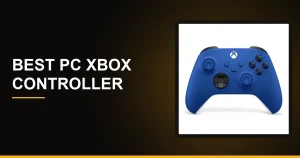 Best PC Xbox Controller: 5 Wired and Wireless PicksCompare five PC Xbox controllers — the official Shock Blue pad, two Hall Effect…Read next →
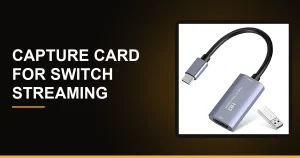 capture card for switch streamingCompare five capture cards for Switch streaming: 4K input, 1,080p 60 fps capture, loop-out,…Read next →
 Best Monitor for Programming: 5 BenQ Picks ComparedCompare five BenQ monitors for programming by screen size, resolution, coding modes, USB-C power…Read next →
Product and ASIN Reference
| Product | ASIN | Buy |
|---|---|---|
| GMKtec Nucbox M6 Ultra | B0FLJQW1RD | View on Amazon |
| KAMRUI AK1PLUS | B099KSJN8P | View on Amazon |
| Apple Mac mini M6 | B0HGGJZ92H | View on Amazon |
| KAMRUI Pinova P1 | B0DP23FPKY | View on Amazon |
| GMKtec Nucbox G3S | B0GFCMGHJT | View on Amazon |



Write Your Review
No reviews yet. Be the first to share your experience!